Best no-code app builders in 2026
Being behind major reports like The Mother of All Breaches and RockYou2024, our in-house cybersecurity experts and journalists provide unbiased, real-world testing and in-depth analysis.
We maintain complete transparency by openly sharing our testing methodologies with our audience.
Learn more

If you’re looking for the best AI no-code app builders in 2026, I’ve tested and ranked the top options for you. The platforms on this list now make it easier than ever to build an app — with smart automation, quick setup, and even personalization built in. Whether you’re starting a new business, improving your team’s workflow, or just want to try building an app, you can do it in hours without writing code.
Together with the Cybernews research team, I spent 2 weeks testing a bunch of no-code app builders to find the best options for different use cases. In this article, I present what I found, so you can pick the one that works best for you.
Top 11 no-code app builders – shortlist
- Hostinger Horizons – best builder for all-in-one web app creation
- Base44 – best for AI-driven enterprise-grade apps
- Bubble.io – best for scalable web apps
- Softr – best for Airtable and Google Sheets apps
- Glide – best for building Google Sheets-based app
- Webflow – best builder for visually stunning web apps
- Adalo – best for beginners and MVPs
- Lovable – best for rapid AI-powered app prototypes
- Thunkable – best for building no-code mobile apps with logic customization
- FlutterFlow – best to build high-performance mobile apps
- AppSheet – best for enterprise automation and workflow apps
Best no-code app builders compared
No-code app builders in 2026 can handle almost any project. To make choosing easier, I’ve put together a comparison table with all the key factors.
| App builder | Starting price | Standout feature | Best for | Technical skills needed | Free version | AI-powered tools |
| 1. Hostinger Horizons | From $6.29/month | Instant hosting and domain integration | SMEs, startups, and growing personal brands | ❌ No | ❌ No | ✅ Yes |
| 2. Base44 | From $16.00/month | Enterprise AI integrations and compliance | Enterprises, advanced teams, and AI-driven automation at scale | ❌ No | ✅ Yes | ✅ Yes |
| 3. Bubble.io | From $29.00/month | Powerful API integrations | Startups, businesses, and entrepreneurs building web applications | ❌ No | ✅ Yes | ✅ Yes |
| 4. Softr | From $49.00/month | Airtable and Google Sheets integration | Startups, small businesses, and creators building web apps with databases | ❌ No | ❌ No (only 7-day free trial) | ✅ Yes |
| 5. Glide | From $19.00/month | Google Sheets integration | Businesses, teams, and individuals looking to create data-driven apps | ❌ No | ✅ Yes | ✅ Yes |
| 6. Webflow | From $14.00/month | Visual CSS and HTML control | Designers, agencies, and businesses creating high-end web experiences | ❌ No | ✅ Yes | ✅ Yes |
| 7. Adalo |
From $36.00/month | Database integration | Beginners, startups, and MVP developers | ❌ No | ✅ Yes | ❌ No |
| 8. Lovable | From $25.00/month | AI-powered backend | Individual founders, MVP builders, and small tech teams | ❌ No | ✅ Yes | ✅ Yes |
| 9. Thunkable | From $21.00/month | Logic-based customization | Educators, entrepreneurs, and businesses building interactive mobile apps | ❌ No | ✅ Yes | ✅ Yes |
| 10. FlutterFlow | From $22.00/month | Drag-and-drop features | Entrepreneurs, startups, and small businesses | ❌ No | ✅ Yes | ✅ Yes |
| 11. AppSheet | From $5.00/month | Cloud hosting | Enterprises, teams, and businesses automating workflows | ❌ No | ❌ No | ✅ Yes |

Best 11 AI no-code app builders – detailed list
No-code platforms can skyrocket the launch of a website, scale your startup business, build numerous automations, and more. Below, I’ve broken down the 11 top no-code app builders that will help you build apps without coding.
1. Hostinger Horizons – best for all-in-one AI web app creation

| Starting price: | From $6.29/month |
| Best for: | SMEs, startups, and individuals with growing personal businesses |
| Free version: | No |
| Top features: | Image prompts, voice commands, deployment options, sandbox environment for testing, AI capabilities, and integration features |
With Hostinger Horizons, you get an AI-powered, no-code web app builder that handles all the coding-related functions for you. Hostinger created this no-code platform to turn the digital ideas of non-developers into reality. From my experience, it truly feels like an all-in-one tool that lets me focus on creating, not coding.
Key features
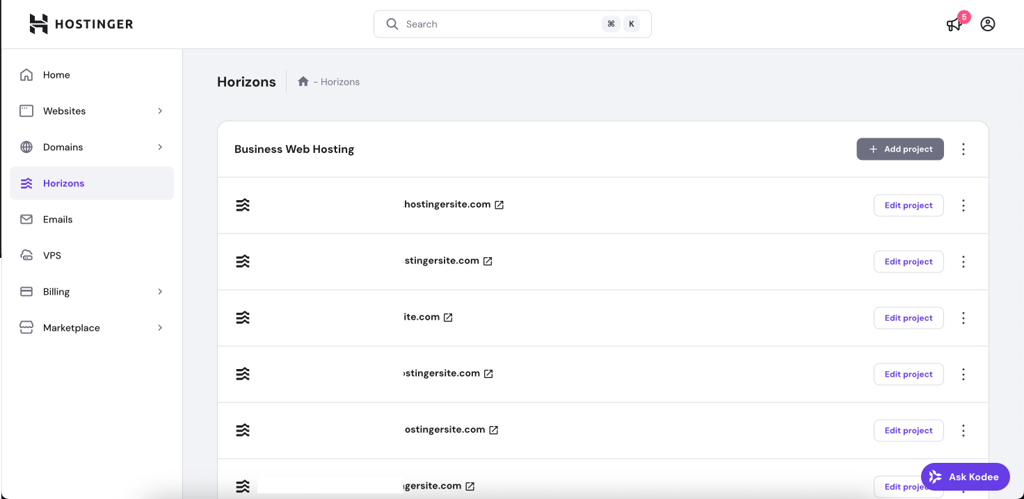
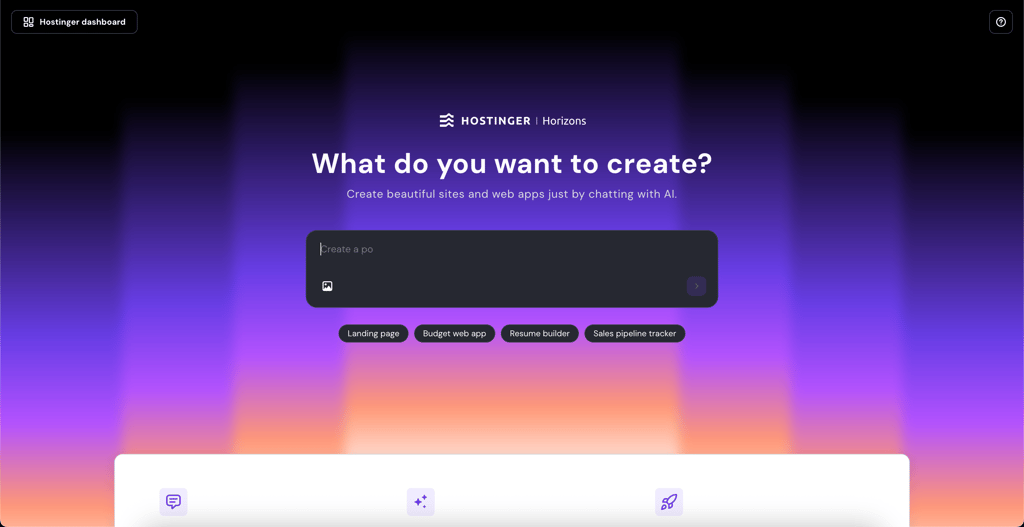
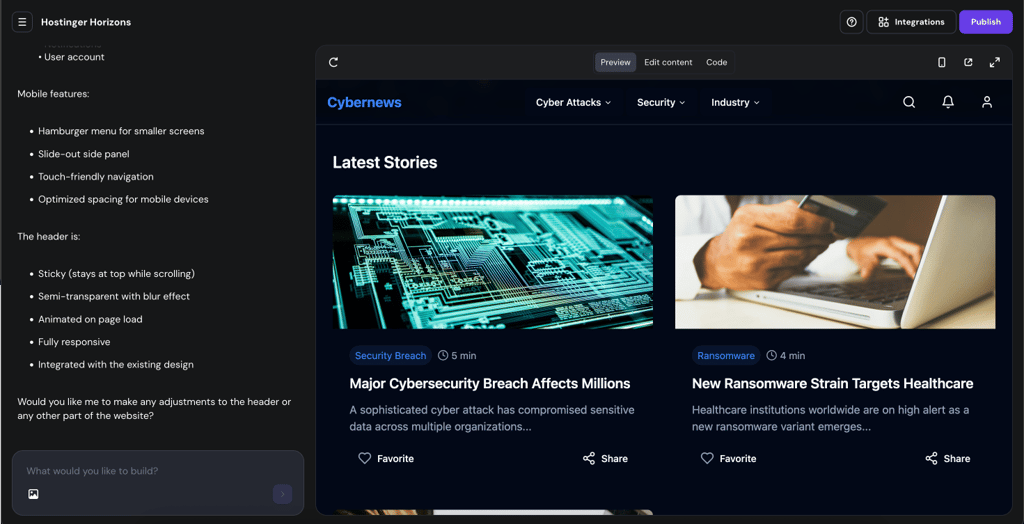
With Hostinger Horizons, I didn’t need to rely on third-party services since it provided hosting, domain name registration, mail servers, app development, and all the necessary web tools. From my experience, it gave me everything I needed to launch my app at a fraction of the effort, cost, and time. To get started, I simply needed to tell the AI chatbot what I wanted, and in mere minutes, I got a visual representation of what my site would look like. I also liked that I could keep refining instructions until I got the result I wanted.
Pricing
Start building your web app with a 7-day free trial after signing up. After that, plans start at $6.29/month per 30 messages (Explorer). The plans differ in the number of messages you get. There’s also a Starter plan ($12.59 per 70 messages), Hobbyist ($35.99 per 200 messages), and Hustler plan ($71.99 per 400 messages). All plan prices are monthly.
Why I recommend it
If you’re starting from zero and want an all-in-one solution with AI prompts, hosting, and deployment, I would highly recommend Hostinger Horizons as a user-friendly option. It’s great for turning ideas into working apps without needing third-party tools.
2. Base44 – designed for AI-first enterprise solutions

| Starting price: | From $16.00/month |
| Best for: | Enterprises, advanced teams, and businesses needing AI automation at scale |
| Free version: | Yes, with limited features |
| Top features: | Enterprise AI integrations, workflow automation, robust security, and scalability options |
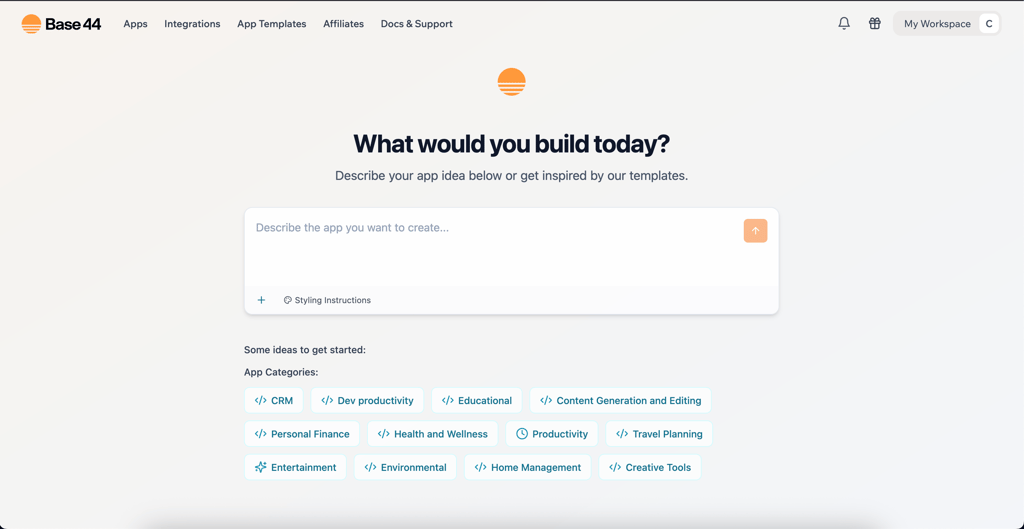
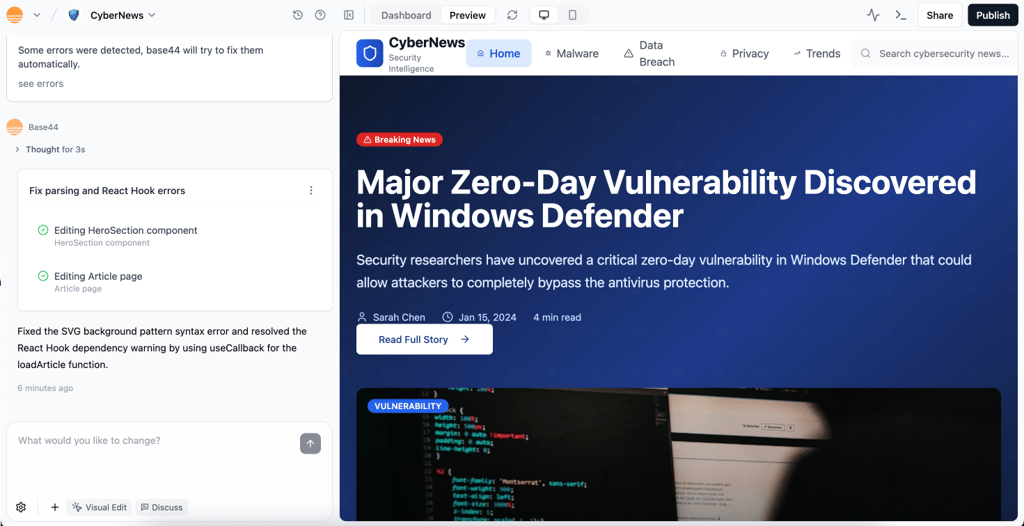
I found Base44 to be a powerful AI-driven no-code app builder focused on enterprise-grade applications. It offers deep automation features, compliance-first design, and the ability to scale complex workflows securely.
Key features
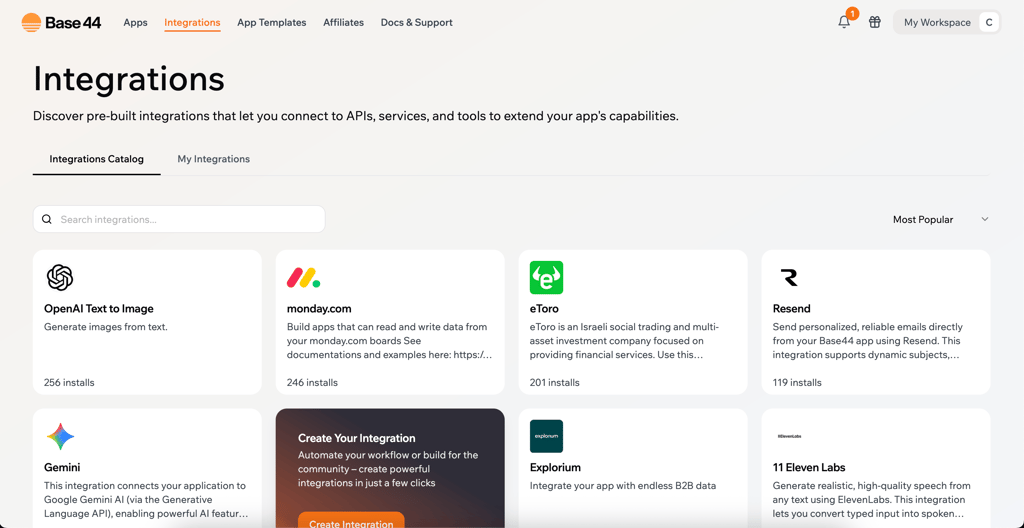
It really stood out to me that Base44 goes beyond simple drag‑and‑drop tools by offering advanced AI‑powered automation, strong API connectivity, and built‑in enterprise compliance such as GDPR and HIPAA. Thanks to its scalability, it can support businesses with large teams, high data volumes, and mission‑critical projects that demand reliability and security.
Pricing
I started with a free starter plan, while premium tiers begin at $16.00/month. The higher-tier options are designed with enterprise requirements in mind, offering enhanced customer support, larger data storage, advanced compliance features, and higher limits for automation tasks. I found them especially suitable for complex, large-scale projects that need both flexibility and reliability.
Why I recommend it
For enterprise-grade no-code development with robust AI and compliance, this is a standout option. Base44 balances usability with advanced functionality, giving enterprises the ability to innovate quickly while still maintaining strict governance, security, and scalability. This makes it particularly attractive for organizations that want to combine speed with reliability in their app development journey.
3. Bubble.io – best tool for scalable web apps

| Starting price: | From $29.00/month |
| Best for: | Startups, businesses, and entrepreneurs building web applications |
| Free version: | Yes |
| Top features: | Visual programming, responsive design, built-in database, and powerful API integrations |
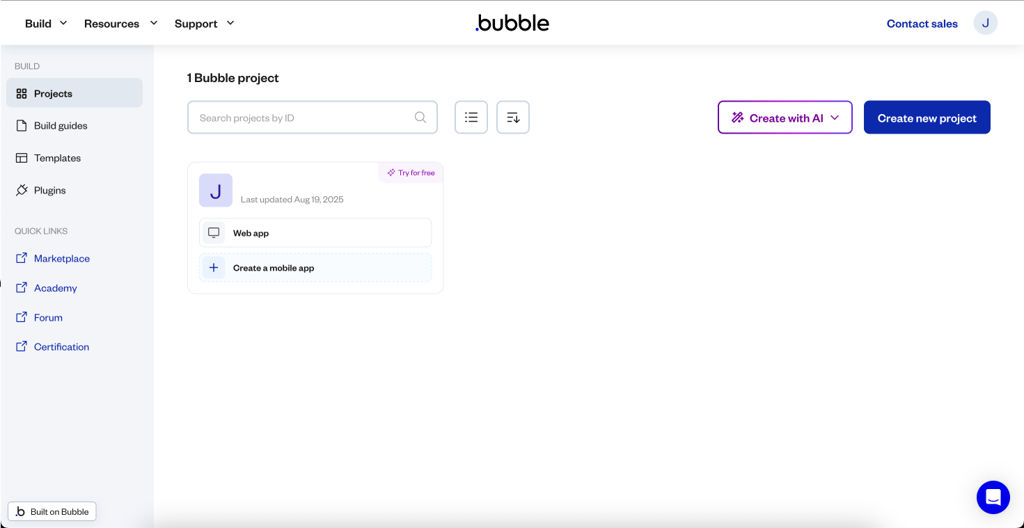
Bubble.io is an excellent low-code platform ideal for creating marketplaces, SaaS platforms, and business internal tools. Users can integrate their apps with other applications, payment solutions, and external database systems to increase functionality and automation.
Key features
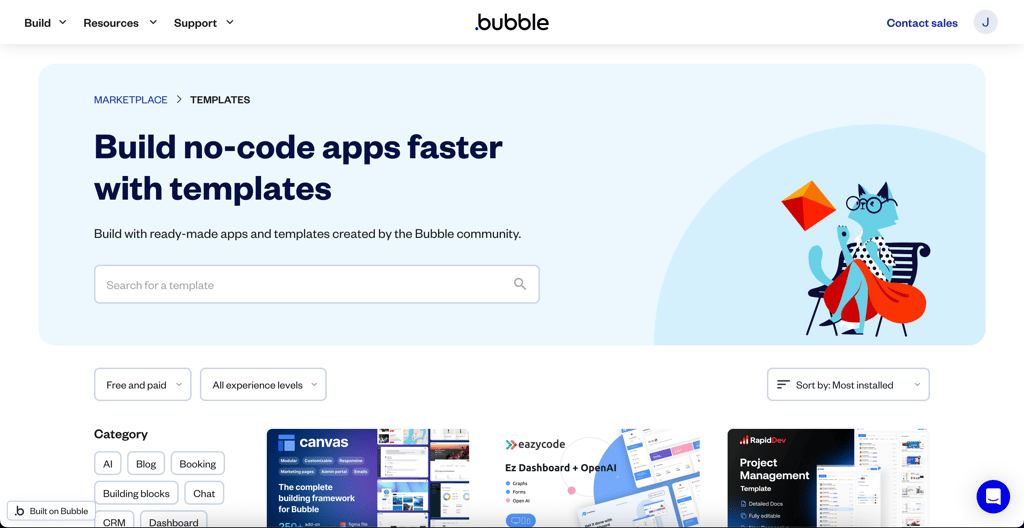
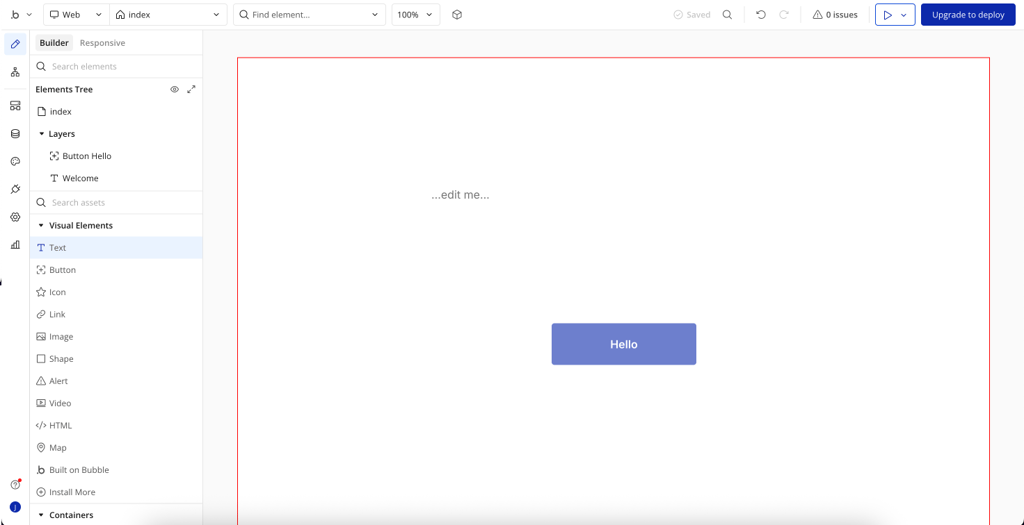
As explained in our Bubble.io review, the provider makes it easy to create responsive apps that can fit into any screen, whether a desktop, tablet, or mobile phone. The tool offers over 6300 integrations and plugins, which I found more than exhaustive for most use cases. Bubble.io also lets you import an existing design, a feature I appreciated since many other tools require building everything from scratch.
Pricing
I really appreciated that Bubble.io offers a free version, which I used for learning how to use the platform. There are 4 other plans: Starter, Growth, Team, and Enterprise, and the cheapest one starts at $29.00/month. With it, you get the live app, 2 days of server logs, and many other features.
Why I recommend it
I put this tool in the top three on the list because it’s the best solution for apps that scale with audiences – it’s easy to add new features and expand functionality over time.
4. Softr – best tool for building web apps from Airtable and Google Sheets

| Starting price: | From $49.00/month |
| Best for: | Startups, small businesses, and creators building web apps with databases |
| Free version: | No (only a 7-day free trial) |
| Top features: | Airtable and Google Sheets integration, pre-built templates, membership and payment options, and SEO optimization |
Softr is a no-code tool that allows you to transform your Airtable, Google Sheets, and Coda data into web apps, directories, and client portals. I enjoy how simple it is to use and how smoothly it connects with other services. I build data-driven applications without needing any programming skills.
Key features
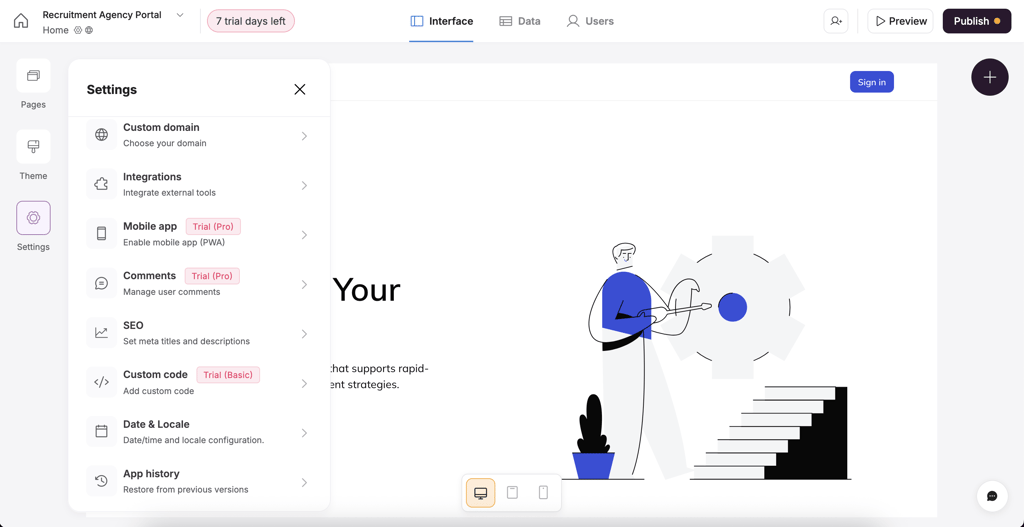
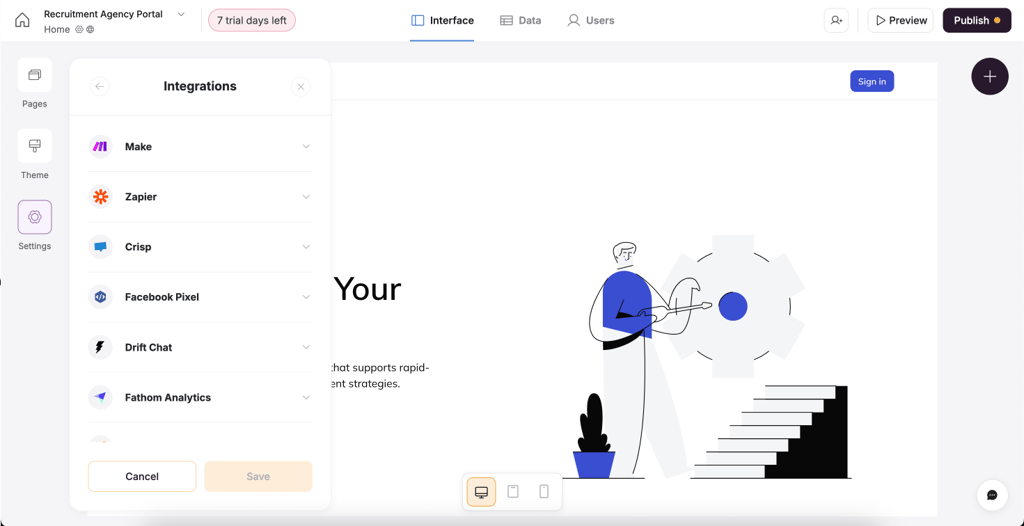
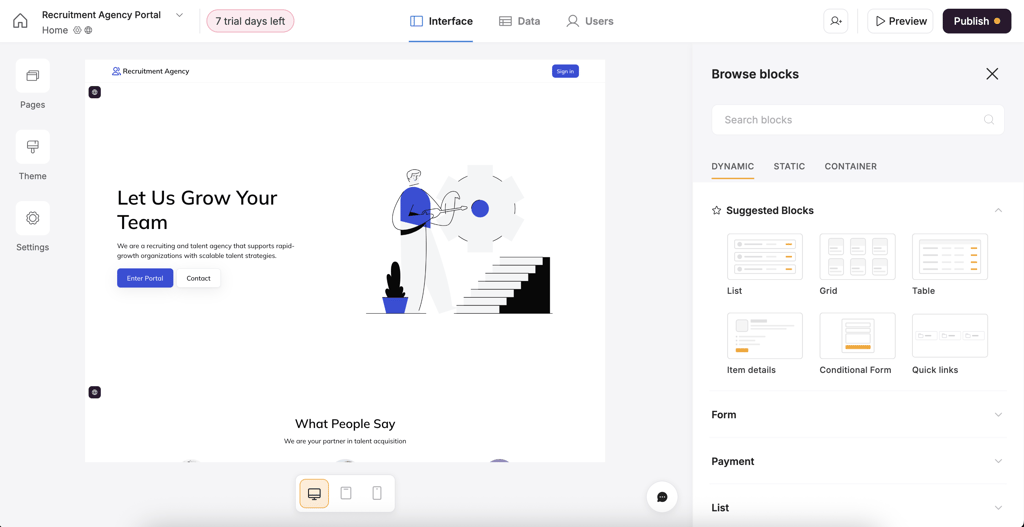
Softr is particularly useful for building membership-based platforms. I could manage recurring billing and one-time payments directly within the platform. This makes Softr perfect for creating e-learning systems, subscription services, or any app that requires secure access and payment management. I also found that Softr offers an Airtable and Google Sheets integration, pre-built templates, membership and payment options, and SEO optimization.
Pricing
Softr has 5 plans: Free, Basic, Professional, Business, and Enterprise. The free version offers, similarly to competitors, only 1 app to work with, 10 app users, and some other basic features. The cheapest premium plan is $49.00/month, which, in my opinion, is quite expensive compared to other providers.
Why I recommend it
If you’re building a membership site or client portal from Airtable or Sheets, Softr makes the process smooth. It’d be of good use for creators and service providers who want a no-fuss app builder with built-in payments and templates.
5. Glide – best AI builder for Google Sheets-based apps

| Starting price: | From $19.00/month |
| Best for: | Businesses, teams, and individuals looking to create data-driven apps |
| Free version: | Yes |
| Top features: | Google Sheets integration, real-time data syncing, customizable templates, and cross-platform compatibility |
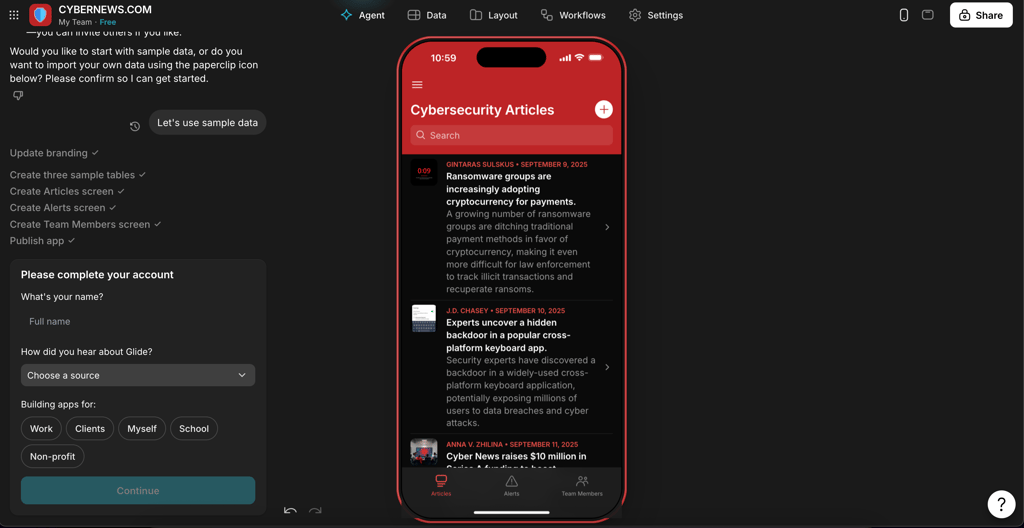
What I like most about Glide is that it’s a data-driven no-code app that turns Google Sheets and other databases into a powerful backend tool for your mobile application. It is ideal for building apps like trackers, planners, CRMs, and directories.
Key features
Glide's standout feature is its seamless integration with Google Sheets, which allows real-time data syncing. While testing the platform, I appreciated how any changes I make in Google Sheets appear instantly in the app, letting users access current and accurate results without manual intervention. Overall, Glide's main perk that makes it stand out among the competition is its data-centric approach.


Pricing
Glide offers 5 plans: Free, Explorer, Maker, Business, and Enterprise. With the free version, you can publish 1 app and have 10 personal users. The premium plans start at $19.00/month, offering 1 app and up to 100 personal accounts, integrations, AI support, and more features.
Why I recommend it
In my opinion, this no-code builder will be the ideal choice for businesses that struggle with turning data into insights and waste time on repetitive tasks. Glide can help turn data into easy-to-use dashboards and automate manual work.
6. Webflow – best tool for beautifully designed web apps

| Starting price: | From $14.00/month |
| Best for: | Designers, agencies, and businesses creating high-end web experiences |
| Free version: | Yes |
| Top features: | Visual CSS and HTML control, CMS functionality, responsive design tools, and built-in hosting |
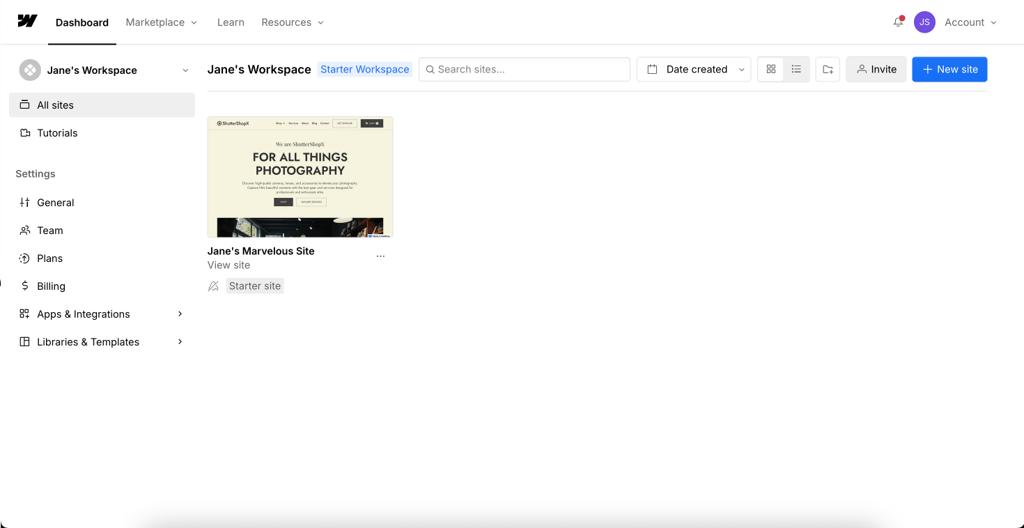
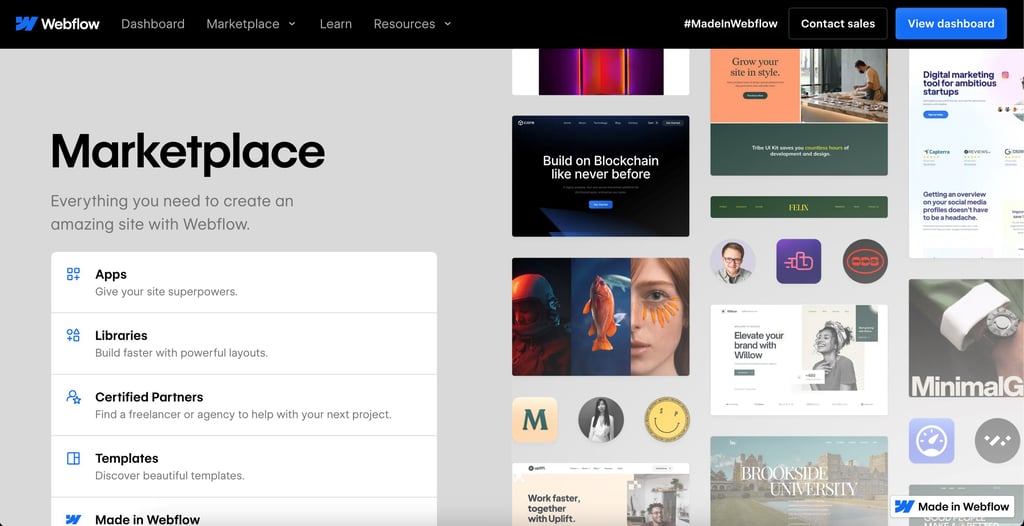
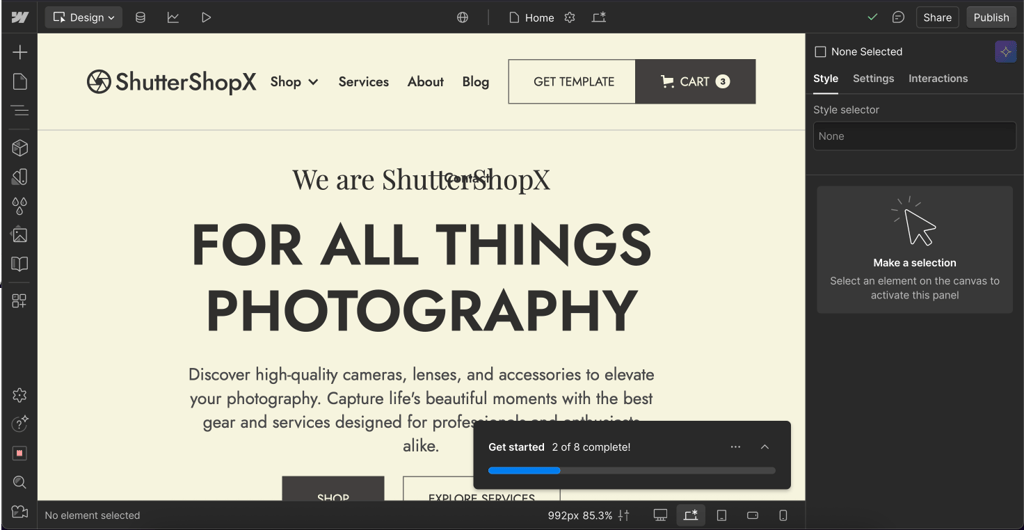
I really appreciate Webflow as an all-in-one, no-code environment for professionals who need full control of the application interface and appearance. It offers more visual flexibility than traditional web builders so that you can build pixel-perfect websites with no code.
Key features
I found that with the help of the AI Assistant, you can style, animate, and interact with any elements to polish your website to perfection. It best suits blogs, portfolios, and business sites and goes beyond a simple builder. Webflow also functions as a CMS and a hosting platform and performs well when creating and managing dynamic content. I also came across one more useful AI feature – you can use it to write blog posts and optimize for SEO. Overall, I liked how Webflow’s hosting is optimized for speed, security, and scalability, eliminating the need for third-party services.
Pricing
Webflow has quite an array of plans: Free, Basic, CMS, Business, Enterprise, and 3 eCommerce plans: Standard, Plus, and Advanced. The free version features 2 pages, 20 CMS collections, 50 CMS items, and more functionalities. For me, the cheapest premium plan feels pretty affordable – just $14.00/month.
Why I recommend it
Webflow is for creatives who want full visual control. I recommend it for designers or marketers who need pixel-perfect pages, advanced animations, and full CMS capabilities. Plus, it’s got great SEO features baked in.
7. Adalo – great starting point for beginners and MVPs

| Starting price: | From $36.00/month |
| Best for: | Beginners, startups, and MVP developers |
| Free version: | Yes |
| Top features: | Drag-and-drop interface, pre-built templates, database integration, and real-time preview |
Compared to all other tools on my list, I can highlight Adalo as the top AI app builder for (minimum viable products) MVPs. It’s ideal for complete beginners who want to get a head start on development.
Key features
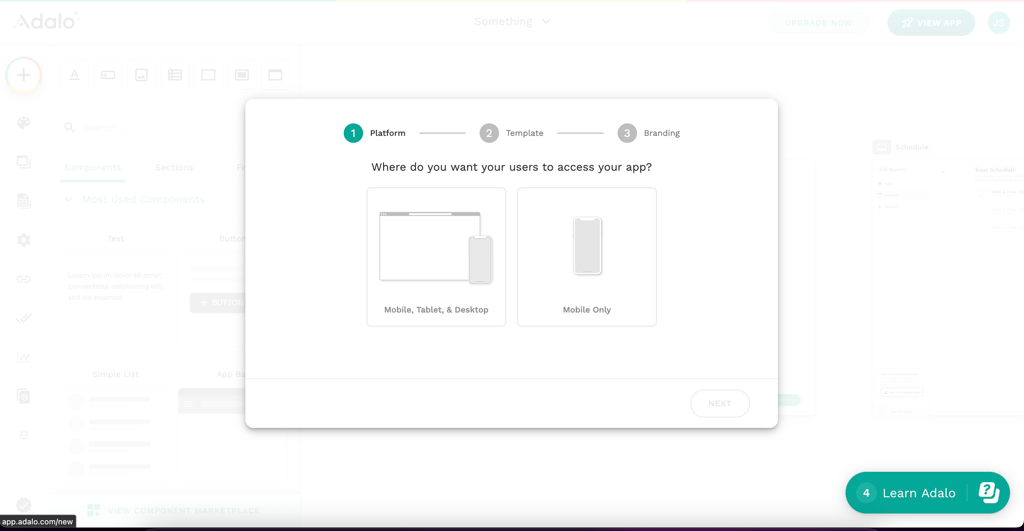
From what I experienced during testing, this tool requires little to no skill. It helps you produce customer-facing mobile and web apps with user authentication, payment processing, and database management. What I like about Adalo is that it offers a huge template library for specific categories, such as booking or directory apps. Additionally, Adalo provides built-in database management, enabling you to easily store, organize, and connect data without third-party tools.


Pricing
I see that Adalo has an array of plans: Free, Starter, Professional, Team, and Business. The Free plan, as most providers offer, comes with only 1 app editor but unlimited screens and test apps. The Starter plan is $36.00/month and includes 5GB per team storage, integrations like Stripe payments, and more features.
Why I recommend it
Adalo is my favorite choice for beginners. Its drag-and-drop editor, template library, and native database tools make it super approachable. Overall, Adalo is particularly useful if you're building your very first app or testing a simple startup idea.
8. Lovable – ideal for quickly building AI-driven app prototypes

| Starting price: | From $21.00/month |
| Best for: | Individual founders, MVP builders, and small tech teams |
| Free version: | Yes, with limited features |
| Top features: | Natural language app building, AI-generated backend and logic, GitHub sync, and instant API integrations |
Lovable is a no-code, AI-powered app builder that allows non-technical entrepreneurs to transform ideas into fully functional apps. From what I saw in testing, this no-code app builder completely reimagines app development by allowing you to influence the results with your natural language.
Key features
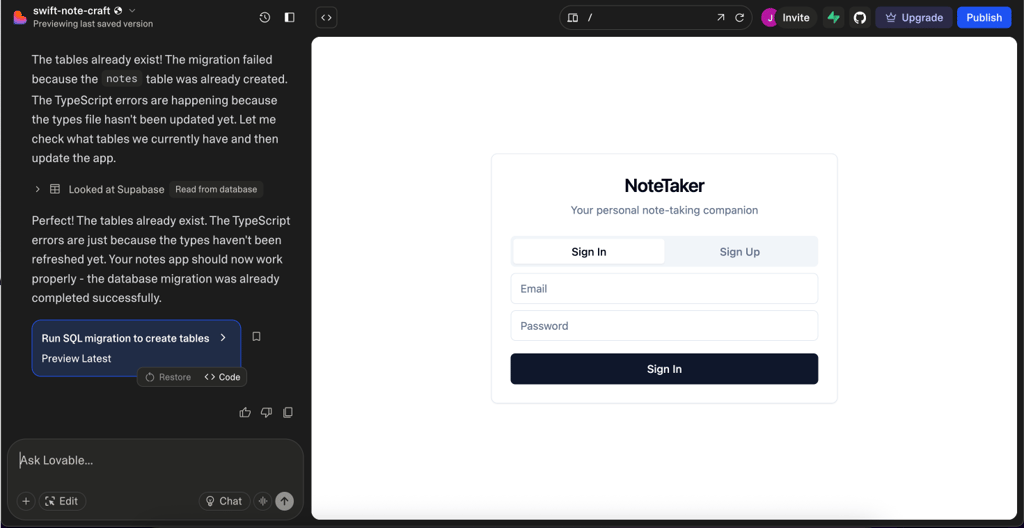
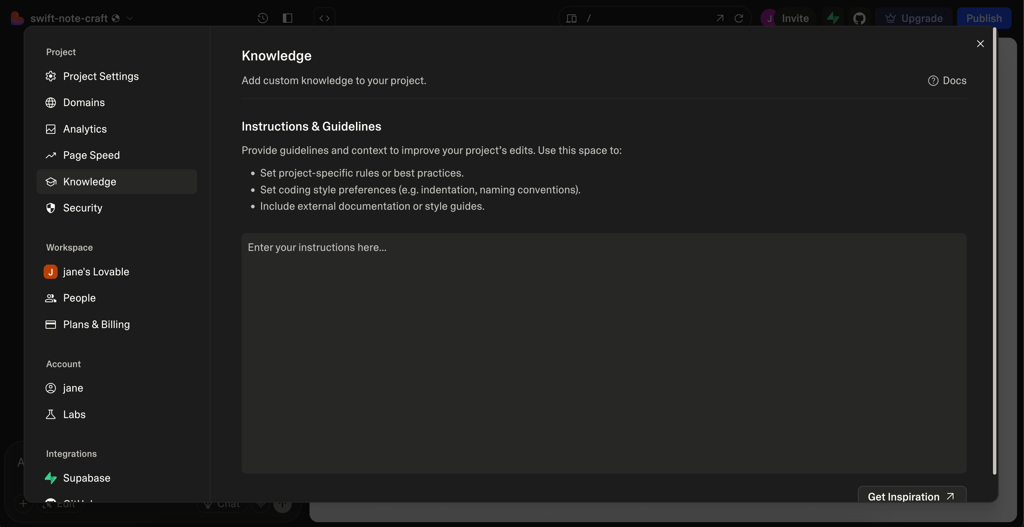
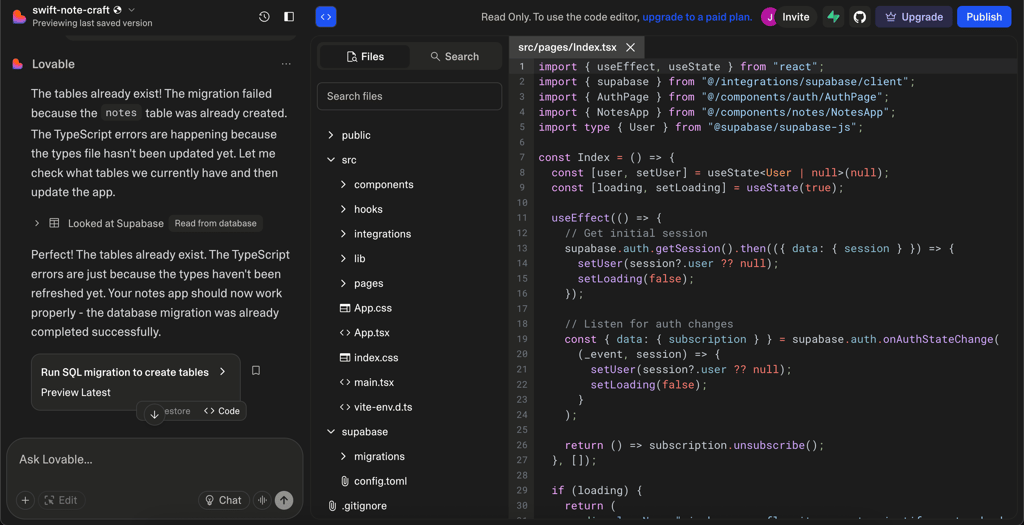
I really enjoyed that you can type out what you want your app to do and leave the heavy lifting to Lovable. I like this no-code app builder because it creates robust, usable applications you can deploy and share with your target audience. The best part is that you don’t need to worry about configuring servers and managing hosting environments. Lovable also backs up your code and makes it accessible through your GitHub to ensure you can retain control over your projects and scale them later if necessary.
Pricing
I found that Lovable offers a limited free plan, which is great for testing the platform. Although it allows unlimited collaborators, the project is public and is more like a test run. If you need more features, the premium plan starts at $21.00/month. With it, you get up to 100 credits/month, your projects are private, and the access is role-based. There’s also a Business plan, starting from $42.00/month, and the Enterprise plan with custom prices.
Why I recommend it
I recommend it for you if you’re looking to create an MVP, as Lovable has features such as admin panels, dashboards, dynamic data tables, and even Stripe for payment. It’s a great fit if you’re early-stage and need to test your concept quickly.
9. Thunkable – no-code platform for building mobile apps with logic flexibility

| Starting price: | From $21.00/month |
| Best for: | Educators, entrepreneurs, and businesses building interactive mobile apps |
| Free version: | Yes |
| Top features: | Drag-and-drop interface, logic-based customization, and real-time preview |
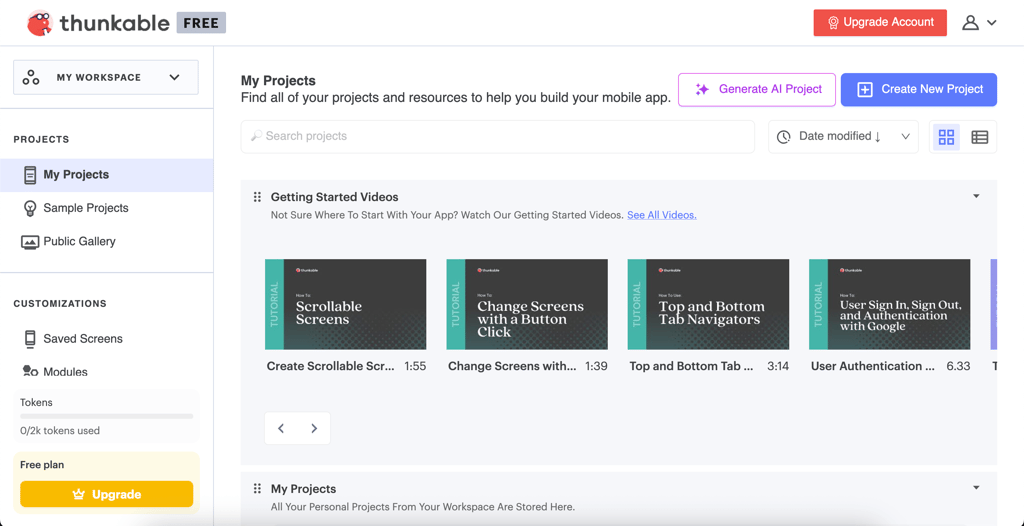
Thunkable is a no-code development tool for mobile applications that goes beyond plain linear thinking and design. Unlike simpler no-code tools, Thunkable let me actually build my app’s features using logic blocks. This made experimenting with functionality feel more natural.
Key features
As I tested Thunkable, I came across some really useful features that made the building process much easier. For example, a Mark as Done button can move tasks between lists by connecting blocks for button clicks, data updates, and screen refreshes. This visualization provides users with a direct understanding of both actions and app responses to user input, thus simplifying the tracking of program logic. When I approached web building visually, it made understanding how different features connect much easier and allowed me to build more sophisticated apps.


Pricing
Thunkable has 1 free plan and 4 premium plans: Accelerator, Builder, Advanced, and Education. The cheapest plan starts at $21.00/month, and you get 5 public projects and 1 private project, which is quite a good deal compared to other rivals. The free version allows you to have up to 3 public projects, which was enough for me to test the platform.
Why I recommend it
I recommend Thunkable, as it’s great for people who want to build apps with custom logic but still don’t want to code. In my opinion, it’s one of the best visual tools for adding interactive features on this list, especially for educators and mobile-first apps.
10. FlutterFlow – best no-code AI builder for high-performance mobile apps

| Starting price: | From $22.00/month |
| Best for: | Entrepreneurs, startups, and small businesses |
| Free version: | Yes |
| Top features: | Drag-and-drop feature, built-in integrations, test mode, and AI code generation |
FlutterFlow is the best no-code mobile app builder tool for quick and customizable mobile app development. It's great for dashboards, booking systems, productivity tools, and internal business apps with polished user interfaces.
Key features
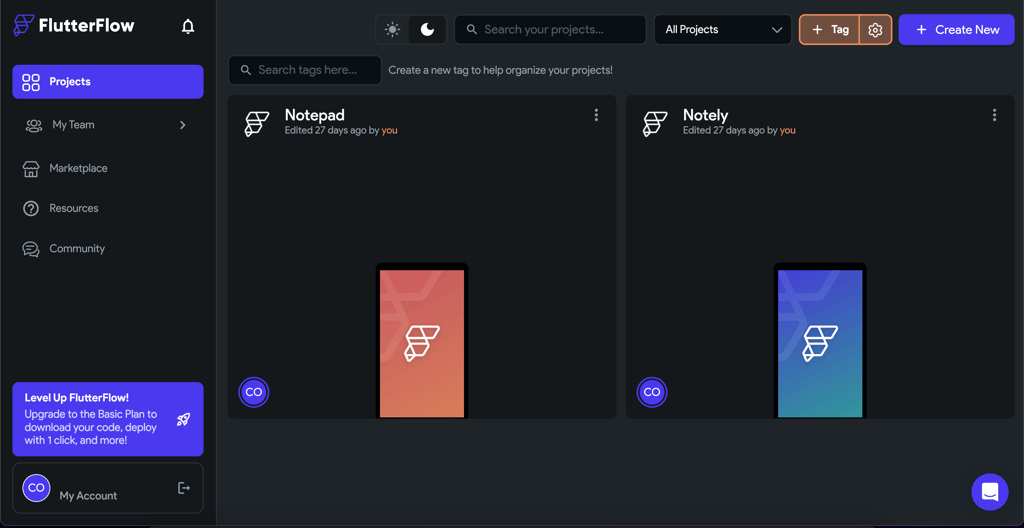
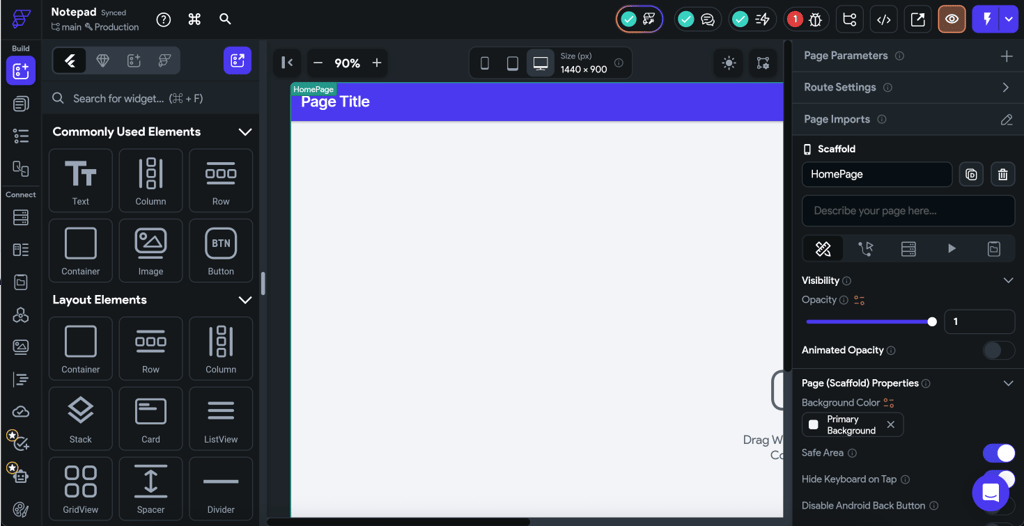
The platform integrates with APIs like Firebase and Google Maps for efficient data management. The app builder features over 200 pre-designed elements for your UI, so I could design virtually any app with little to no extra effort using a simple drag-and-drop editor. I also found the Action Flow Editor helpful, as it integrates all features in an intuitive and beginner-friendly experience. This tool is number one for me because it balances extremely easy-to-use features with sophisticated use cases.
Pricing
FlutterFlow offers a free plan and 3 premium plans: Basic, Growth, and Business. The cheapest (Basic) plan is $22.00/month. It’s also good to know that all FlutterFlow premium plans offer a free trial. That’s not something other rivals offer. Plus, there are 2 offers for enterprises and the educational community. FlutterFlow’s free version is also quite generous, as basic functionalities were enough for me to test the app builder.
Why I recommend it
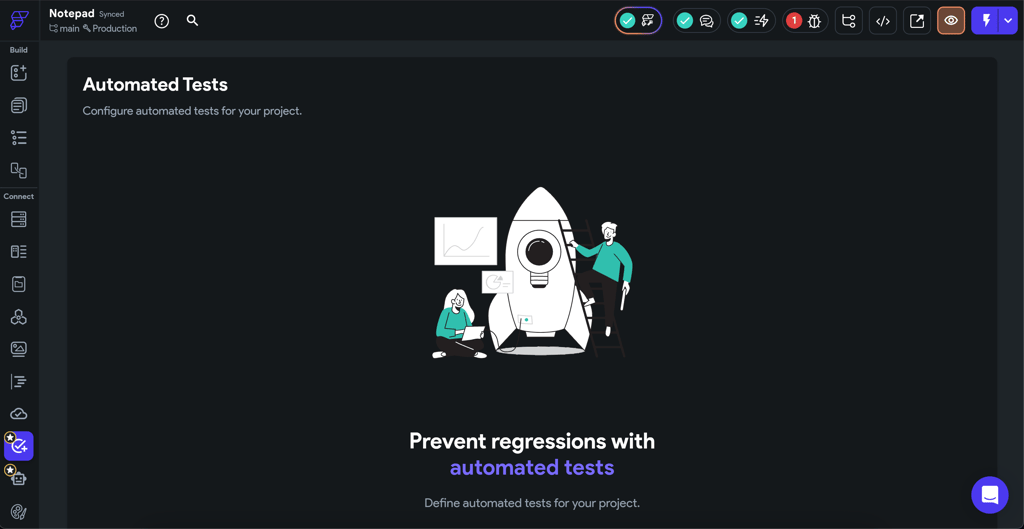
From what I saw in testing, FlutterFlow nails the balance between power and usability. If you want to build a real mobile app that looks polished and performs well, without needing deep tech skills, this tool is one of my go-tos.
11. AppSheet – powerful tool for streamlining enterprise automation and workflows

| Starting price: | From $5.00/month |
| Best for: | Enterprises, teams, and businesses automating workflows |
| Free version: | No |
| Top features: | AI-powered automation, spreadsheet-based development, multi-platform deployment, and enterprise-grade security |
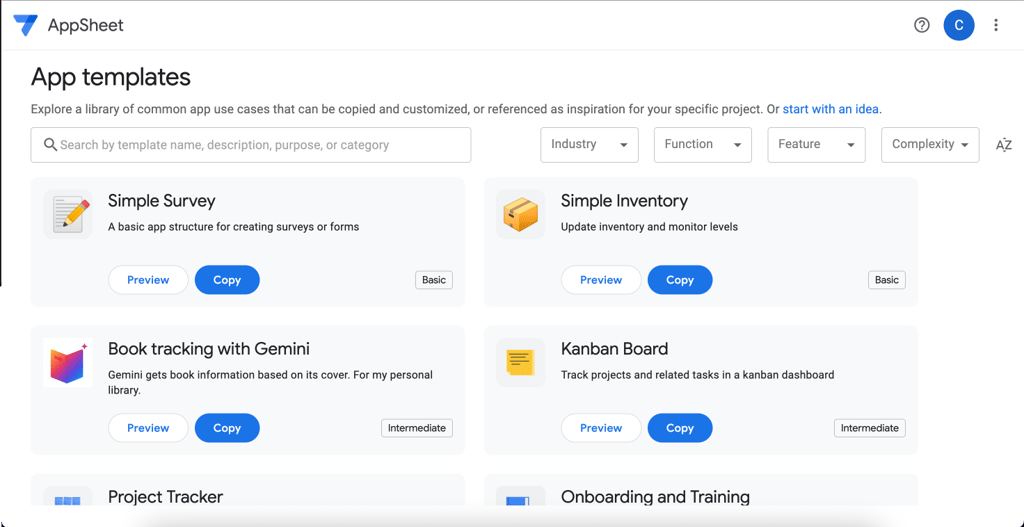
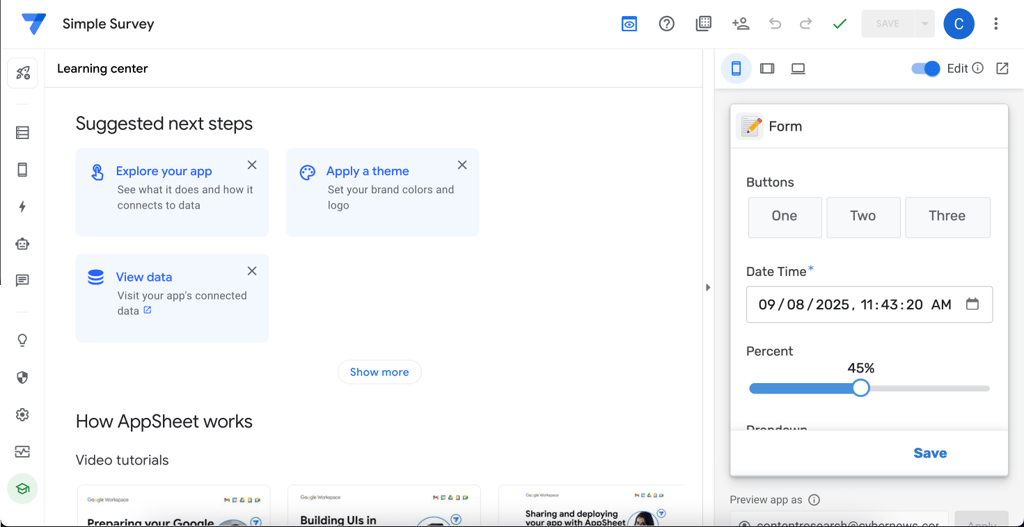
AppSheet is a highly advanced no-code platform that can assist enterprises and teams in building workflow apps. I found that it connects with Google Cloud and allows users to develop custom applications that work with spreadsheets and databases without coding.
Key features
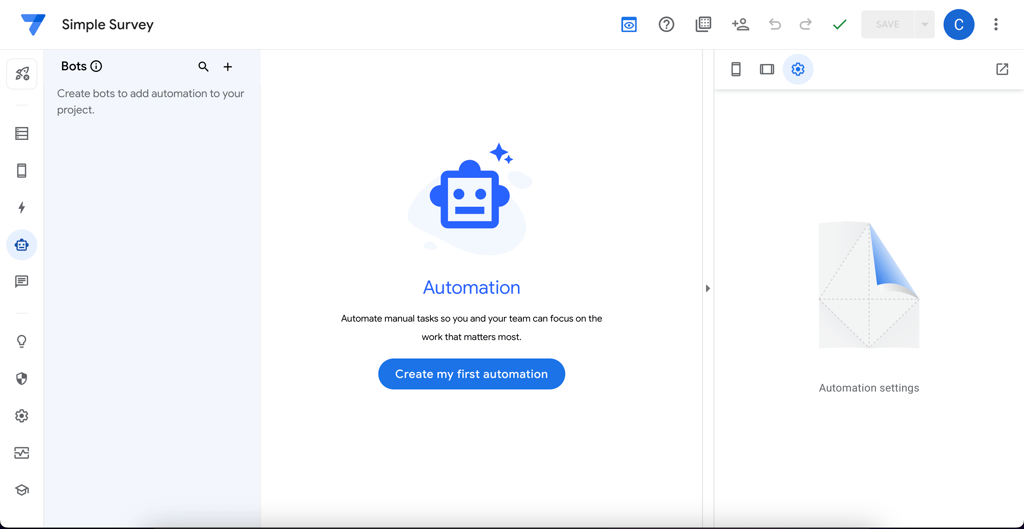
AppSheet uses artificial intelligence to automate work like sending notifications, updating records, or entering new data. It also enabled me to create apps from Google Sheets, Excel, and other databases, which makes it possible to turn datasets into working applications.
Pricing
AppSheet comes with 3 main plans: Starter, Core, and Enterprise Plus. The most budget-friendly plan is the Starter: you’ll pay $5.00/month per user. This will give you access to basic application and automation features. I was a little disappointed to see that it doesn’t offer a free version.
Why I recommend it
I recommend AppSheet for teams already using Google Workspace. It will help you automate workflows and turn your spreadsheets into working mobile or desktop apps with next-gen AI and automation tools.
Our methodology for ranking the best no-code app builders
At Cybernews, my evaluation of no-code app builders is based on extensive research and user feedback. I reviewed various criteria, such as user feedback, features, documentation, and value for money. My methodology focuses on these key areas:
- User experience (30%). I looked at real-life user feedback concerning the ease of using each platform. These aspects include navigating the app, its learning curve, and AI's workflow automation.
- Pricing (15%). I focused on subscription costs, free plans, pricing clarity, and value for money. The suggestions are based on the best tools that provide the most value at an affordable price without extra charges.
- Features (20%). I also evaluated how well the tool supports automation and whether it can be integrated with the existing workflow or can work across several platforms.
- Support (10%). Customer service can make or break the user experience. I looked at feedback on response times, the availability of live chat or email support, and the quality of the documentation and tutorials.
- Customization options (10%). My research also included checking out how much control you actually have over layout, design, logic flows, and back-end structure. Tools that limit flexibility or force rigid templates scored lower in my list.
- Scalability (10%). It’s not just about getting started but also about growing your team, projects, and processes. Hence, I looked over whether each AI builder can support larger teams, more users, or expanded functionality without a complete rebuild.
- Compliance (5%). I gave extra weight to platforms that put data privacy and security first. That includes things like GDPR alignment, hosting transparency, and role-based access, especially for tools targeting business users.
What are no-code app builders, and how do they work?
No-code app builders are tools that let you create apps without writing a single line of code. Instead of traditional programming, they utilize intuitive visual interfaces assisted by drag-and-drop, pre-built templates, and automation features. This makes app development available to entrepreneurs, small businesses, and people without coding expertise.
The AI app builders work by letting you design every part of the app, including forms, buttons, and navigation menus, by dragging and dropping them. Most no-code builders also allow for integration with external services, meaning users can use their applications with payment systems, online databases, or other automation systems. AI upgrades go even deeper to improve design, recommend features, and even create designs independently.
Also, with no-code development, you don’t need to spend time and money testing your app. With an AI-built MVP, you don’t need an initial extensive investment and can test the concept with only a basic version of a product. This enables you to avoid any costly mistakes in application development.
With the help of AI, no-code development is rapidly gaining popularity among small startups. Solo entrepreneurs can now create, deploy, and scale applications without coding skills in an all-in-one platform.
Why no-code builders are the future of app development
No-code platforms are transforming app development, making it faster, cheaper, and more accessible than ever. Thanks to these platforms, you don’t need to have a professional background to build a web app. Below, I listed just a few main reasons to give app builders a shot:
- No programming skills needed. Thanks to AI and automation, businesses or individuals can now create apps without any programming skills or a professional background.
- Faster development. Another crucial benefit of using no-code platforms is the time it takes to create an app. To create a traditional application, users have to write thousands of lines of code, then debug them, and test them for weeks or months. No-code solutions remove these challenges: you can design and deploy the apps within hours or days, depending on complexity.
- Cost-effective solution. While hiring developers or outsourcing can be costly, no-code app builders allow you to create and manage the app independently, eliminating the need for developers. This approach significantly reduces expenses, making it ideal for startups launching an MVP or established businesses aiming to enhance efficiency.
- Multiplatform development. No-code app builders also allow cross-platform development, allowing users to develop applications that can be run on the web, IOS, Android, Windows, and macOS without building separate versions for each platform.
Things to consider when picking the best no-code app builder
After researching dozens of no-code AI platforms, I learned that the best choice depends on your goals, not on initial simplicity. So, before choosing the platform, I advise you to consider the following important parameters:
- Your goal. Some tools are for internal dashboards or websites, while others are for mobile apps. Please double-check that the builder is appropriate for the kind of project you are working on.
- Tool integrations. Double-check whether it integrates with services you currently use, such as Zapier, Stripe, or Google Sheets. You’ll save your precious time and avoid messy workarounds.
- Customization. Think about whether you can add user flows, create custom logic, or start from scratch with a design. You can do more if you have more control.
- Security and data handling. Verify that the AI platform provides access controls and complies with privacy regulations, such as GDPR, if you're working with user data.
- Scalability. Have a long-term perspective. If your needs change or your app grows, will this builder still function?
- Power vs ease of use. Some tools are easy to learn but have limitations. Others provide far more freedom but require more time to master. Think about what works best for you in this case.
- Help and tutorials. When you're stuck, a good support team or help center can really help. So, check if the AI app builder you’re eyeing provides this.
Best no-code app builder for your needs
Selecting the right no-code app builder for your needs relies on your particular goals, the complexity of your app, and the features you need. Below are some no-code apps tailored for different types of users and goals.
Best no-code app builder for beginners
For beginners, I recommend Adalo as the best no-code app builder. Thanks to its extensive template library, any user can choose and customize a pre-designed structure to fit their needs.

The drag-and-drop interface makes the development of both mobile and web applications faster. Aside from the features, the pricing model is reasonable, which will suit many startups and small companies that don’t want to invest in a costly platform.
Best no-code app builder for advanced users
Bubble.io is a top choice for advanced users looking for full control and customization. It’s highly versatile, and you can incorporate large-scale databases and other tools to create highly advanced web applications.

Bubble.io provides you with the complete flexibility to transform your concept into a fully functioning app. The user-friendly design makes it possible to handle complicated tasks effectively, and your platform will expand in line with your business growth.
Best no-code app builder for web, iOS, and Android
FlutterFlow is the tool you need if you’re looking to develop web, iOS, and Android applications at the same time. It’s based on Google Flutter, which means that the interfaces will look the same and will function flawlessly on any device.
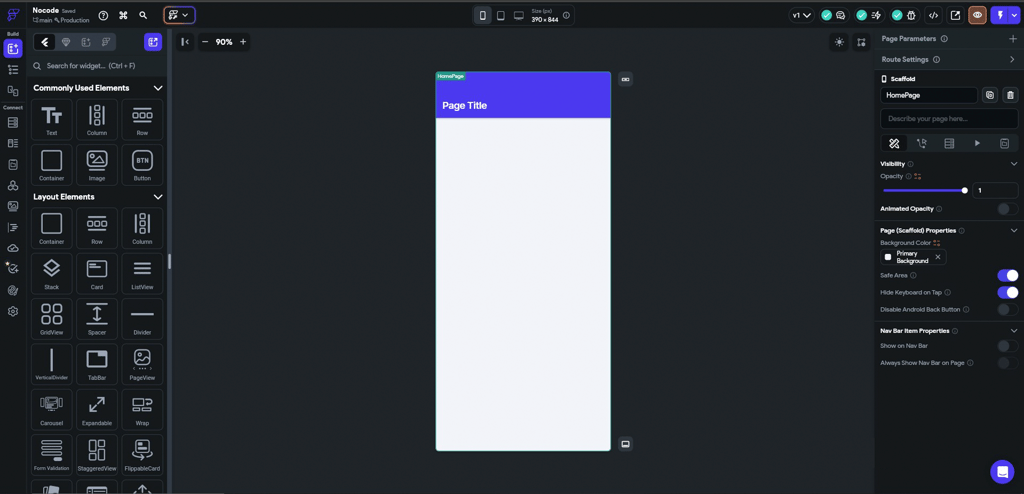
The platform offers an extensive template library so that you can easily customize any feature and button with the help of a drag-and-drop editor. However, the most beneficial feature of the Flutter Framework is that it supports native mobile apps. This is ideal for startups searching for efficient, easy-to-use software for multiple markets.
Best no-code app builder for mobile apps
Glide is an excellent tool for anyone who wants to build data-driven apps. Its relatively simple layout makes it suitable for generating a mobile app even if you’re not a programmer. Some of the options are quite unique, including real-time data updates, which ensure that your app stays current with no effort on your part.

Also, there’s an added advantage of integrating Glide with Google Sheets, which makes it easy to manage and display data within your app. Glide makes it possible to create Progressive Web Apps, and your app will look and function properly across all devices. Glide is a convenient tool for app building of any complexity.
Differences between a no-code app builder and an AI app builder
It’s important to understand that there’s a difference between no-code app development and AI app development. Each kind is fit for different projects and levels of difficulty.
No-code app builders let you develop apps by choosing widgets like buttons or text boxes, and other widgets like images to be placed on the screen. They’re suitable for launching basic apps, internal tools, or MVPs without coding.
On the other hand, AI app builders are for users who initially plan to build apps with additional advanced AI elements included. These platforms rely on artificial intelligence to automate tasks, adapt to users' data, and tailor it to their behavior and preferences. AI app builders are great for building apps with dynamic and self-improving functionalities such as intelligent recommendations. While they offer more substantial features, these tools usually come with a higher level of complexity and may require users to have a specific background on how AI and data work.
What types of apps can you build with a no-code app builder?
Thanks to no-code apps, creating different types of applications has become extremely simple and efficient, even if you know nothing about coding. Here are the 3 most common types of apps created with the help of no-code builders:
- Mobile and web apps. With no-code app builders, you can build apps for different types of businesses, like eCommerce, education, and healthcare. These apps can be customized to meet the unique needs of each industry, such as integrating payment gateways for eCommerce, creating interactive education courses, or managing appointments and medical records for healthcare.
- eCommerce apps. Creating both online stores and marketplaces becomes exceptionally easy. No-code platforms deliver ready-to-use templates, automatic shopping cart solutions, payment interfaces, and inventory management tools that enable users to start their online businesses without programming.
- Booking and scheduling apps. The ease of use delivered by no-code application builders allows you to design booking system applications tailored to your particular needs. Users can integrate booking forms, payment features, and scheduling functions into their platforms to enhance service provider and customer satisfaction.
Paid vs free no-code app builders
Free no-code app builders are highly effective for developing internal tools, testing concepts, and getting started. Many free no-code app builders will let you use drag-and-drop editors and simple templates and offer only limited data storage. However, there's usually a catch: free plans typically don't allow you to publish your app to app stores, connect a custom domain, or remove branding. Some also restrict how many records or users your app can manage.
Now, the premium (paid) plans will let you access more sophisticated features like analytics, API access, automation tools, and responsive design across devices, which are made available with paid plans. Plus, you’ll be able to create private projects and have more storage, improved customer service, and third-party service integrations.
In short, I advise choosing a paid plan if you're creating something for actual users or wish to scale. However, free builders can still be very helpful for early MVPs or personal use, provided you’re aware of their hitches before devoting time to them.
Verdict: best no-code app builders
No-code app builders solve issues like cost, time, and skill barriers. Based on my testing, Hostinger Horizons ranks first with its AI-driven builder, multilingual support, hosting, and domain integration. It’s best for entrepreneurs or small businesses, while Base44 fits enterprises needing AI and compliance. Bubble.io lets you build SaaS platforms and marketplaces code-free.
If unsure which one to choose, try free versions to learn and upgrade later. With the right platform, you can build something scalable and user-ready.
FAQ
Can I build an app without coding?
Yes, you can build apps without coding using no-code app builders with pre-designed elements. Hostinger Horizons is the best choice for both beginners and startups with no technical background. It is user-friendly, with numerous templates and great features that make app-building effortless.
Is there a free version available for no-code builders?
Yes, many no-code builders offer free versions. For example, Softr offers a free plan that can help small businesses build high-end apps and websites with advanced features at no cost.
Will no-code app builders replace developers?
No, no-code app builders won't replace developers. While they make it easy to build basic apps, complex projects still need skilled developers.
Do no-code app builders offer templates for faster development?
Yes, many no-code platforms offer templates to speed up development. These ready-made app structures make it easy to customize and launch without starting from scratch. Glide, for example, is great for businesses, teams, and individuals building data-driven apps, with customizable templates that speed up workflow.
Can I build an app for my startup without hiring developers?
Yes, you can create apps without developers using no-code builders. These tools help design professional, functional apps ideal for budget-conscious startups. Bubble.io is an excellent choice for businesses needing customized solutions. It features AI-assisted building, pre-built templates, automated cost estimation, and cloud hosting to develop apps quickly and efficiently.
Are no-code app builders safe?
Yes, most no-code platforms are secure and adhere to fundamental security practices like role-based access and SSL encryption. Just keep in mind that the provider determines data security, so before storing sensitive data, always make sure the provider complies with GDPR and has privacy policies in place.
What’s the difference between no-code and low-code platforms?
A no-code platform doesn’t require you to write any code, while a low-code platform might require some code writing. For developers who require custom logic or integrations but prefer visual tools, low-code is a better option.
Which no-code app builder is best suited for mobile apps?
The best choices for mobile-first apps are Thunkable, Adalo, and FlutterFlow. Adalo and Thunkable have intuitive drag-and-drop interfaces that are useful for MVPs and prototypes. FlutterFlow is notable for its performance and Firebase integration.
Can I export the code from a no-code app builder?
Yes, many platforms like FlutterFlow and Lovable will let you export the code from a no-code app builder. However, no-code tools can also keep the code proprietary, so check the platform’s export policy if long-term portability is on your checklist.